Your centre's timetable, made once and for all.
Build each group's timetable once. MyCentreKey creates every class, warns you about room and teacher clashes, and takes holidays into account.
At a glance
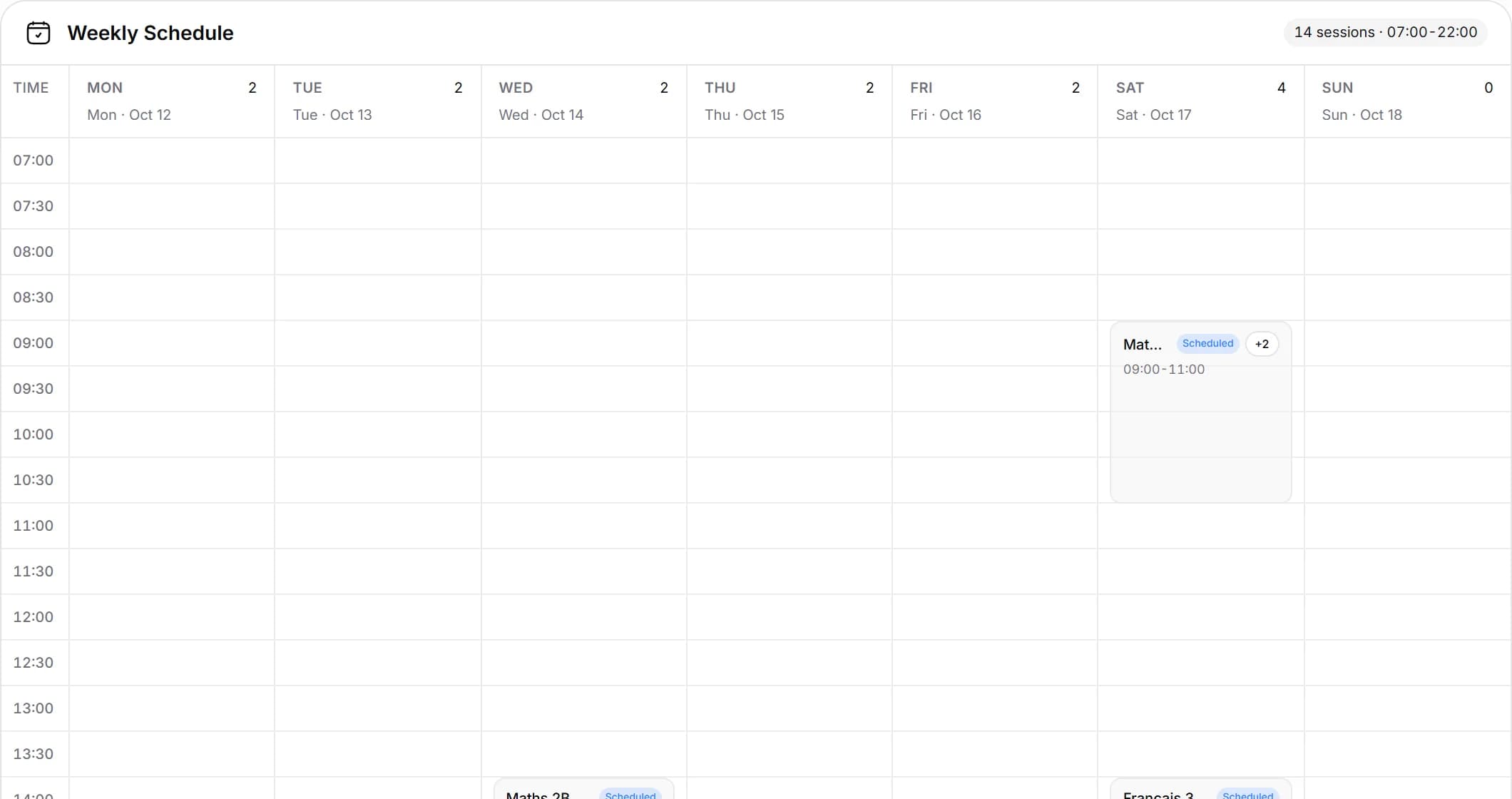
- A weekly calendar of every class in the centre
- Classes are created automatically from each group's timetable
- Cancel a single class for a holiday or an absent teacher without touching the timetable, and restore it if plans change
- Closure days and holidays, added one day at a time or as a whole range
- Room and teacher clash checks while you edit, plus a page listing every clash
- Rooms with their own capacity
In detail
- 01
One typical week, every class
Give each group its days and times for the week. Classes are created automatically from there, and a weekly calendar shows every class in the centre in one place.
- 02
No room or teacher clashes
While you build the timetable, MyCentreKey warns you as soon as a room or a teacher is already taken. A page also lists every clash in the centre, so you can sort them out in one go. Each room has its own capacity.
- 03
Holidays, public holidays and make-up classes
Add closed days one by one or over a whole period: no classes are created on those days. Cancel a single class when a teacher is away without touching the timetable, and add an extra class when a group needs to catch up.
- 04
The timetable in your pocket
Download a student's, group's or teacher's timetable as a PDF, or as a calendar file to add to Google Calendar or Apple Calendar.
Frequently asked questions
See also
All featuresReady to run your centre from one place?
Book a demo and see how enrollment, scheduling, and billing come together in MyCentreKey.