Your centre's payments, tracked without a spreadsheet.
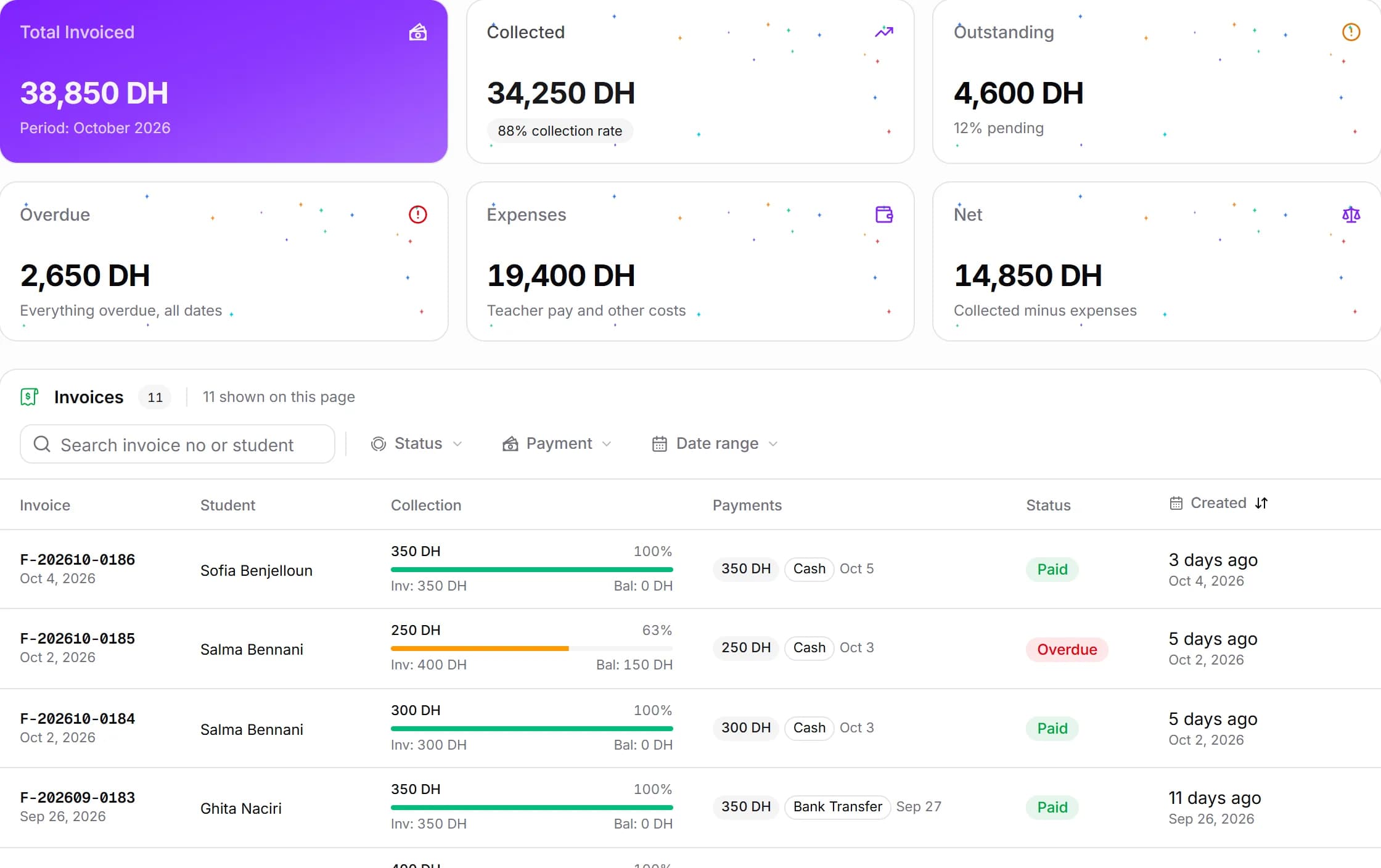
An invoice at every sign-up and every renewal, payments in cash and in instalments, and late payments that show up on their own. Built for the way parents really pay in Morocco.
At a glance
- An invoice is created automatically when a student joins or renews
- Full or partial payments by cash, cheque, bank transfer or other
- Each invoice's status follows its payments: unpaid, partly paid or paid
- Overdue tracking from the due date, with grace days you set for your centre
- Suggested prices per level and subject, so the amount fills itself in
- Fix an invoice or a payment when something was entered wrong
- Invoice PDFs with your centre's logo
In detail
- 01
Invoices that create themselves
An invoice is created at sign-up and at every renewal, counted from the student's start date, not the 1st of the month. The amount is filled in from the price you set for the level and subject. You can always change it for a discount or a free month: a 0 DH invoice is accepted.
- 02
Cash, cheques, transfers, in one go or in instalments
A parent pays half today and the rest at the end of the month? Record each payment when it arrives. The invoice goes from unpaid to partly paid, then to paid. A payment entered by mistake can be corrected.
- 03
Late payments, without looking for them
An invoice with no payment at all is late as soon as its due date passes. An invoice that's partly paid first gets the grace days your centre chose. Late students show up every day on the follow-up list.
- 04
A clear invoice to give the parent
Every invoice downloads as a PDF with your centre's logo, the payments already received and what's left to pay. You can export a month's invoices in one go, and the dashboard compares what was billed with what was collected, month by month.
Frequently asked questions
See also
All featuresReady to run your centre from one place?
Book a demo and see how enrollment, scheduling, and billing come together in MyCentreKey.